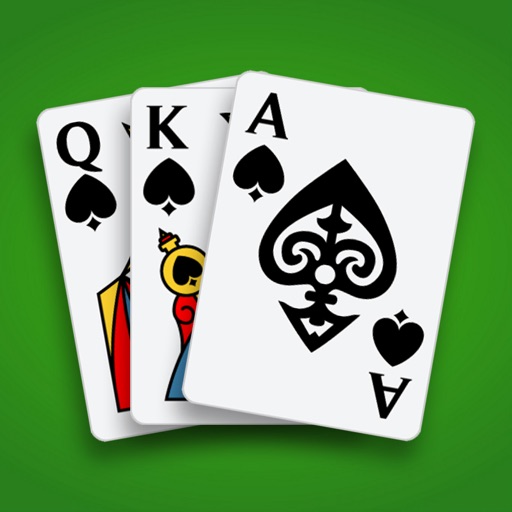
Spades – Cards Game in Brief
Spades – Cards Game is Blackout Lab SL’s mobile take on the classic trick-taking card game. It is available on iPhone, iPad, and Android, and the store listings say it is free to download and play on iOS and Android. The listings also say it includes advertising, in-app purchases, offline play, adaptive AI, and a clean design made for phones and tablets.
How a Round Works
Spades is a 4-player partnership card game played with a standard 52-card deck. Each round begins with bidding, as partners predict how many tricks they think they can take. Spades are always trump, and the team that reaches 250 or 500 points wins, depending on the rule option selected. The listings also say players must follow the suit led when possible, and if they cannot, they may play a spade or discard another card. The highest card in the led suit, or the highest spade if trump is played, wins the trick. Spades cannot be led until they have been broken.
The app description also notes that all 13 tricks are played before scoring each round. Beyond that, it is presented as a standard Spades implementation rather than a simplified or altered version of the game.
Rule Settings and League Mode
The app includes a few rule settings that let players match the game to their preferred style. Available options include turning the sandbag penalty on or off, turning Blind NIL bidding on or off, and choosing a target score of 250 or 500 points. These settings may suit households or players who already know different house rules and want to keep the app closer to their usual version of Spades.
There is also a League Mode. According to the listings, players earn coins through regular play and use them to enter ranked competitive games. That gives players a more structured option if they want progression beyond casual solo matches.
Phone, Tablet, and Portrait Play
The App Store listing describes the game as built for phones and tablets, and the Apple metadata lists portrait orientation for phone screenshots. That points to standard mobile play rather than a setup that depends on landscape controls. The listings do not give details about button size or swipe gestures, so those specifics remain unknown.
Controller support is not indicated in the App Store or Google Play listings, and the available store information does not mention any special input modes beyond normal touch play. For families choosing a game for someone with limited dexterity, the safest reading is that it is a touch-based card app with unclear control granularity.
Clean Look and Customization
The store descriptions call the look clean and relaxing. They also say players can choose different card backs, card designs, and table backgrounds. Those options may help some players find a clearer visual setup, especially if they prefer certain colors or want a familiar card face.
At the same time, the App Store page says the developer has not yet indicated which accessibility features the app supports. That means details such as text resizing, contrast tools, or other assistive features are not confirmed in the listing information.
Offline Play and Autosave
Both store listings say the game can be played offline with no internet connection required on iOS and Android. They also say progress auto-saves, so players can resume a game where they left off. That makes it practical for people who want a card game they can open without needing a connection every time.
The listings do not mention a timer, but that does not tell us how much time individual hands or matches take. What can be said is that the app presents itself as a card game you can play at your own pace, with a built-in resume feature if you need to stop between sessions.
Price, Ads, and Purchases
Spades – Cards Game is free on the App Store and Google Play. Both the App Store and Google Play listings say it contains advertising and in-app purchases. The App Store shows purchase options such as Welcome Pack, ticket packs, coin packs, and monthly subscriptions, while Google Play also lists in-app purchases.
The store information does not say whether ads are forced, rewarded, or skippable, so that part remains unknown. Because monetization includes both ads and purchases, families may want to check device purchase settings before handing the game to a child or older relative who might accidentally tap a store offer.
Who It May Suit
This game looks best suited to players who already enjoy trick-taking card games such as Spades and want a mobile version with offline play. The adaptive AI may also appeal to players who want a solo opponent that adjusts to skill level. The customizable rules and League Mode give it some range, from casual play to more competitive matches.
On the caution side, the presence of ads, in-app purchases, and limited accessibility detail are the main things to keep in mind. The app seems practical for players who want a familiar Spades setup on a phone or tablet, but the listings leave several comfort questions unanswered.
Bottom Line
Spades – Cards Game is a straightforward mobile Spades app with offline play, autosave, adaptive AI, and rule customization. It is free on the App Store and Google Play, but it does include advertising and in-app purchases. For families, the strongest benefits are the familiar card-game structure and the ability to play without internet access; the main unknowns are accessibility support, control comfort, and the exact ad experience.